A Mowbray practice outgrowing A3 colour
The client was a small architecture office in Mowbray, Cape Town, working on residential alterations, tenant fit-outs and small commercial submissions. Their office colour printer was handling marked-up PDFs, presentation boards and the odd image sheet, but the team had reached the point where A3 output was slowing them down. Plans were taped together for site meetings, proofs looked too small and reprints were wasting ink.
The brief was straightforward: keep everyday office colour printing in place, add reliable wide-format plan output, and make sure the team could print in-house without constant call-outs. They wanted proper guidance on media, ink use and how to avoid clogged heads when work got busy and the machine sat idle over a long weekend or load-shedding window.
We also had to work within a tight office floor plan and a mixed user group. The partners wanted simple operation, the admin team wanted quick reordering, and the junior staff needed a clean handover they could follow without phoning for help every second day.
What we supplied and why it fit the work
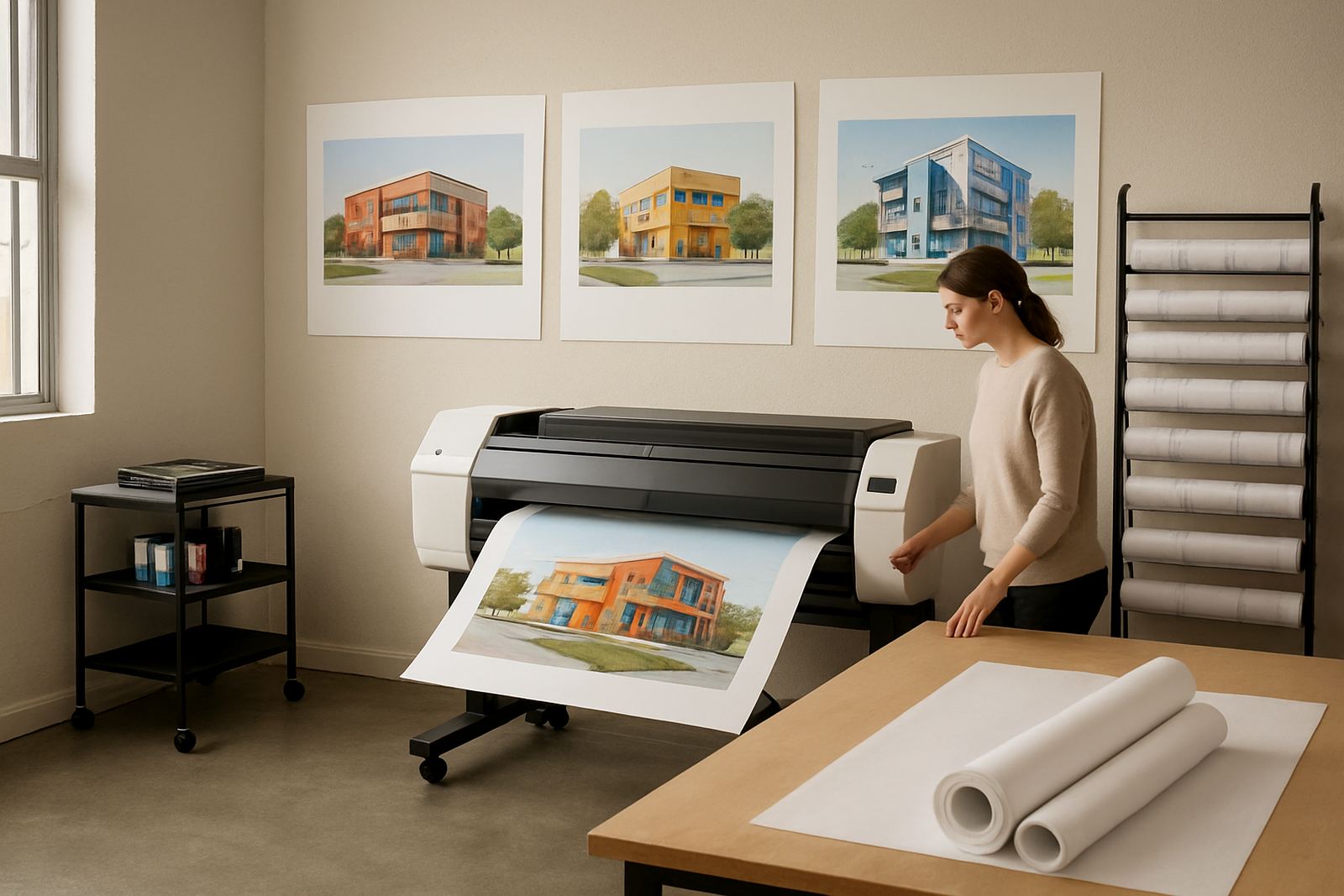
We stepped them up to a wide-format colour printer suited to CAD plans, marked-up drawings and presentation sheets, while keeping their existing desktop colour setup for internal memos, reports and smaller proofs. The key was not to over-spec the office. They did not need a print room built around production volumes, only a sensible setup that could handle the weekly mix of plans and colour proofs.
The wide-format unit was configured for both roll media and cut sheets, so the team could print full plans at size and also run smaller presentation work when needed. We matched ink choices to the way they print, with a focus on clean line work, stable colour, and less risk of blocked nozzles after a quiet spell. The consumables plan was set up around their actual usage pattern rather than a blanket monthly estimate.
Because the office sits in the Cape Town metro, we also looked at humidity, dust and power interruptions. Coastal air can affect storage and head health, so we recommended where to keep spare media and cartridges, and how often to run a short maintenance print. That practical advice mattered as much as the hardware.
- Wide-format colour printer for plan and presentation output
- Desktop colour printer kept for daily office use
- Roll and sheet media support
- Ink planning based on real monthly usage
- Storage advice for coastal humidity and dust
Setup week, user handover and testing
The installation and handover took place over two weeks. In week one, we delivered and positioned the equipment, checked cabling, verified the workspace and ran the first test sheets. We then aligned the print workflow so the office could move files from computer to printer without confusion. Week two was used for user handover, print quality checks and a few follow-up adjustments after the team started using the machine on live drawings.
Pieter, our service technician, checked line accuracy, feed behaviour and colour consistency. Oarabile, our wide-format specialist, confirmed the media profile and helped the team choose the right stock for draft plans versus client presentation sets. Boitumelo set up consumable reordering so the office would not run short on a Thursday afternoon, which is often when the trouble starts.
The handover covered file size, margin settings, roll loading and simple care steps. We kept it practical. If a user could send a PDF, load the roll and run a nozzle check, they were good to go. If not, we showed them again. No fuss, just repetition until everyone was comfortable.
- Project duration: 2 weeks
- Included live print tests and colour checks
- User handover for admin and design staff
- Consumable reorder plan set from day one
Results in the first month
Within the first month, the office had shifted most plan output in-house. That meant quicker turnarounds for internal reviews, faster pin-up sets for consultants and fewer courier delays when a revised drawing was needed urgently. The partners could mark up a sheet in the morning and have a full-size print by lunch, which changed the pace of the office quite a bit.
Print quality improved on both sides of the workflow. The desktop unit kept handling colour admin work, while the wide-format machine produced cleaner line work and more consistent drawings on the right media. The team also reduced waste because they were not trying to force A3 output into jobs that really needed full-size sheets. That alone cut down on repeat prints and unnecessary ink use.
They also found the service response helpful. When a media roll was loaded the wrong way by a new staff member, the issue was resolved quickly with remote help and a short reset over the phone. That sort of backup matters in a small practice where one machine can affect everyone’s day.
- Faster plan turnaround for internal reviews
- Less reprinting from undersized A3 output
- Cleaner line quality on full-size drawings
- Better control of ink and media spend
How the office now manages printing
The office now works with a clearer split between office colour and wide-format output. Everyday documents stay on the smaller printer, while plans, layouts and presentation boards go to the larger machine. That separation keeps queue times down and makes it easier to track ink use. It also means the team can plan around site visits and submission dates without wondering whether the printer will hold up.
Because Mowbray offices often sit in older buildings with mixed power stability and limited storage space, we kept the maintenance routine short and realistic. A weekly test print, proper media storage and sensible consumable levels have been enough to keep the system steady. If the office has a busy week followed by quiet one, they know how to keep the printer ready instead of letting it sit untouched for too long.
If we were doing the same job again, we would make the same call: start with actual usage, not assumptions. Keep the admin team on familiar colour printing, step up to wide-format only where it adds value, and make sure the support plan is simple enough for everyone to follow.
- Separation of office colour and plan output
- Short weekly maintenance routine
- Media stored away from humidity and dust
- Support plan kept simple for office staff
Why this setup works for smaller architecture teams
Smaller architecture teams do not need excess kit, they need the right kit. In this project, the value came from matching the printer range to the way the office actually works. They needed dependable colour for presentations, proper size for plans and a supplier who could keep the inks, media and advice in one place.
That is the sort of support we provide across Cape Town and nationwide by courier. From Ndabeni, we supply offices in Mowbray, Claremont, Woodstock, Bellville, Montague Gardens and Somerset West, with practical help on installation, maintenance and reordering. The goal is always the same: keep colour output moving and keep the office from stalling when deadlines bunch up.
This Mowbray job is a good example of a print setup that grew in the right direction. Not too much, not too little, and set up for real work.
Key facts
| Client type | Architecture office |
|---|---|
| Town | Mowbray, Cape Town |
| Project timeline | 2 weeks |
| Starting setup | A3 office colour printer only |
| New capability | Wide-format plan and presentation printing |
| Support included | Installation, user handover, media matching and consumable planning |